

.svg)

Complete guide to promoting and enhancing visibility for your items
Instructions
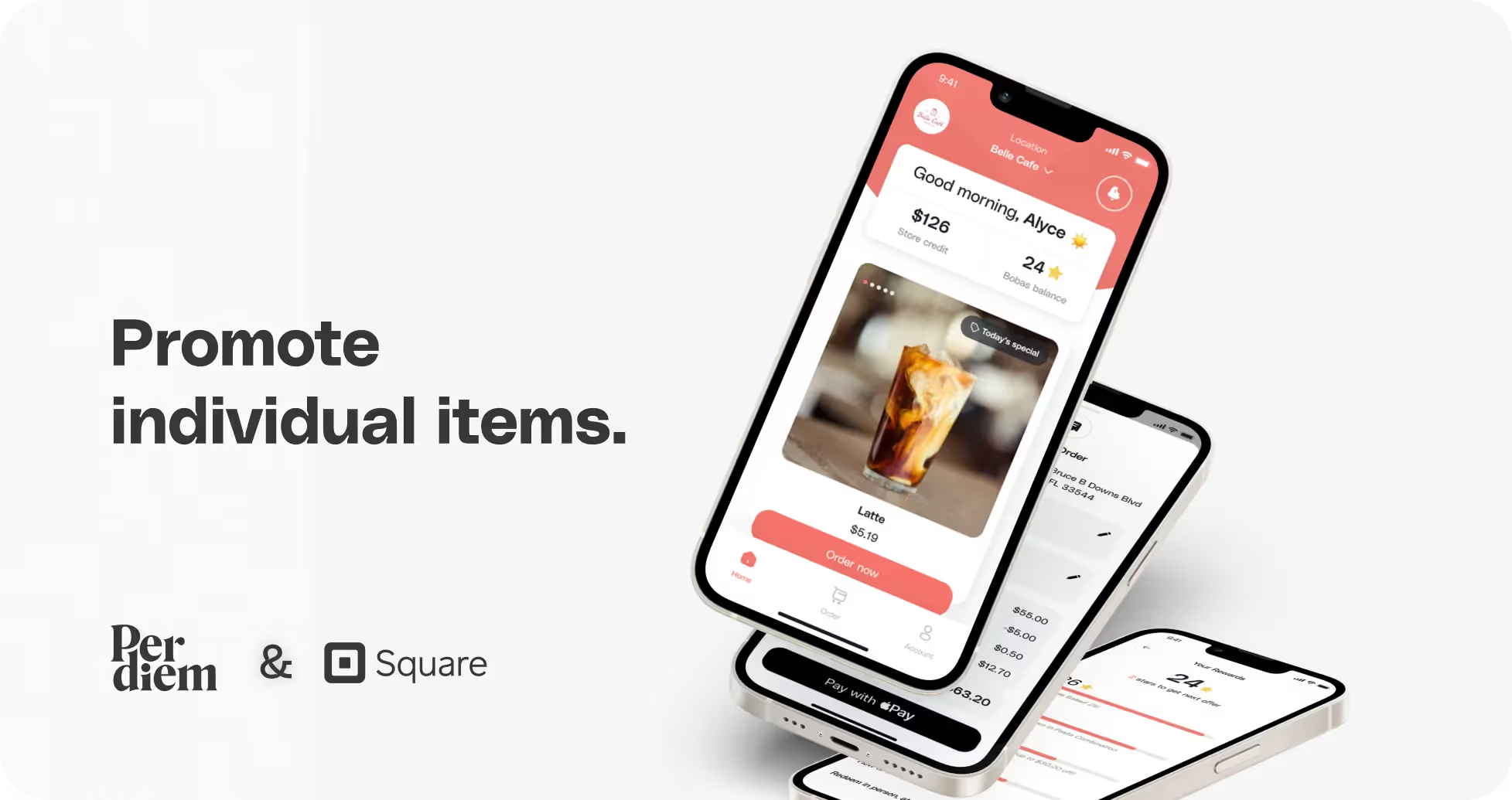
- Log in to your Per Diem merchant dashboard.
- From the left sidebar of your merchant dashboard, select "Items."
- Choose any item listed under the "All Items" column.
- After selecting the desired item, click on "Promote Item" from the bar that appears below.
- Select the desired item from the list.
- Click on the three dots in the black banner that appears below.
- Select "Add Product Tags" and input tags, separating multiple tags with commas.
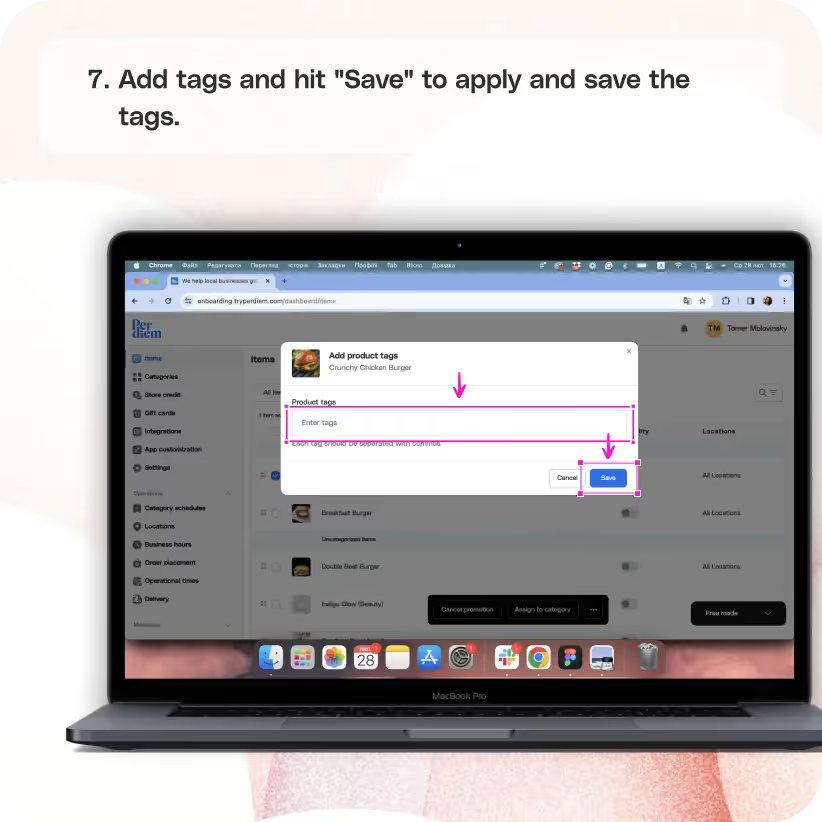
- Hit "Save" to apply and save the tags.
Still require support?
Contact support




Log in to Your Merchant Dashboard
Enhance your product visibility by following these simple steps:
Step 1
Log in to your Per Diem merchant dashboard.
Select Items
Navigate to the Items section for individual item promotion:
Step 1
From the left sidebar of your merchant dashboard, select "Items."
Select the Item to Promote
Handpick the item you want to give a promotional spotlight:
Step 1
Choose any item listed under the "All Items" column.
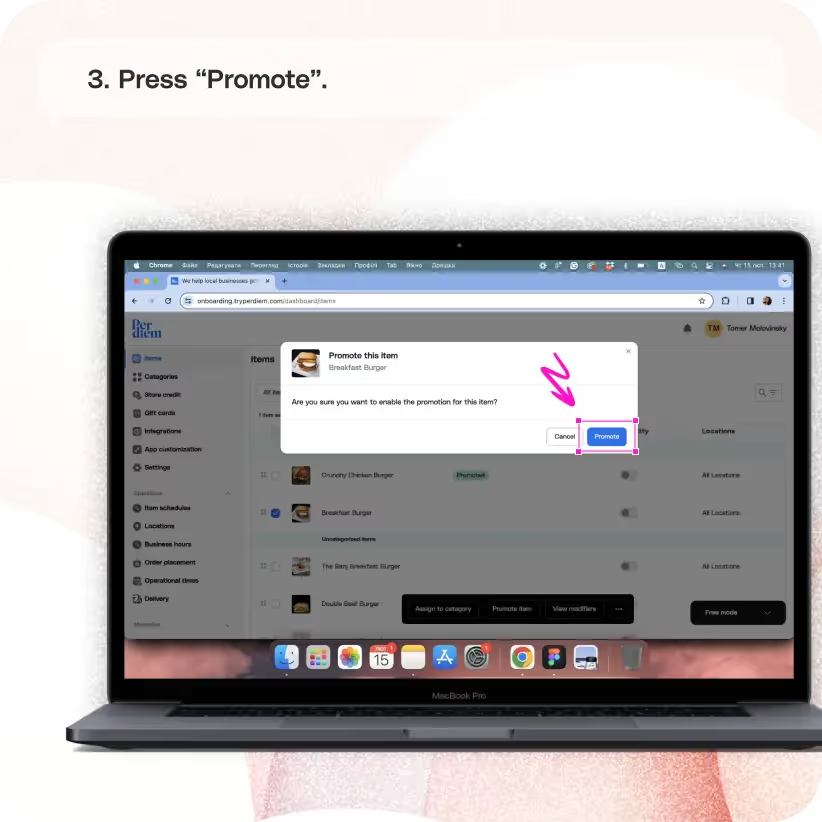
Choose Promote Item
Initiate the promotion for the selected item:
Step 1
After selecting the desired item, click on "Promote Item" from the bar that appears below.
Join the Per Diem Local Partner Program
Submit updates to your business details for review by Per Diem’s moderation team before they go live.

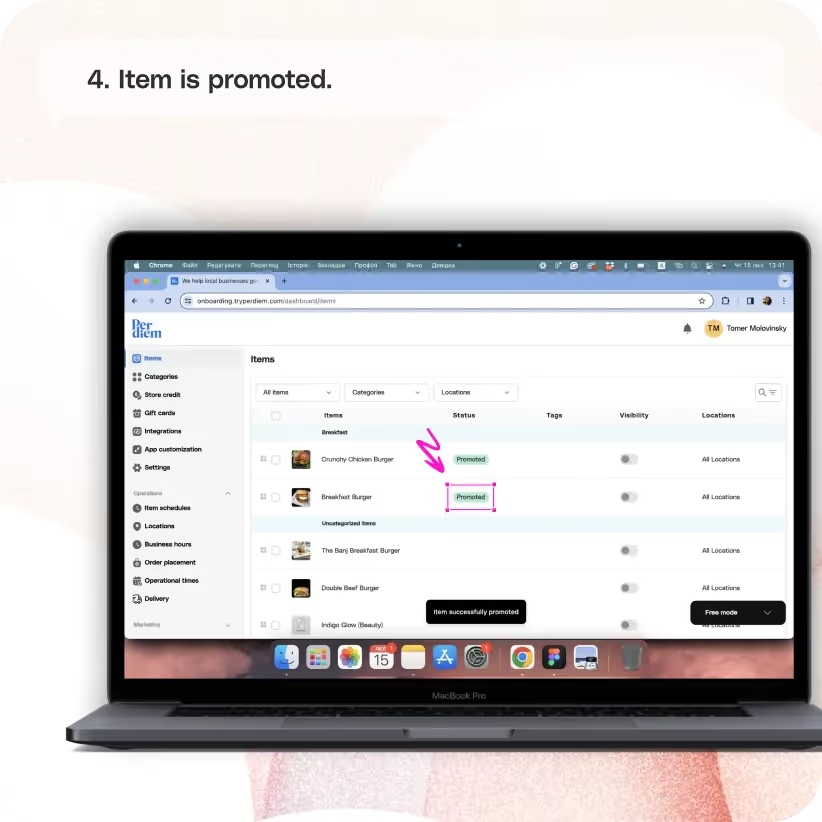
Item Is Promoted
Witness increased visibility for your chosen item.
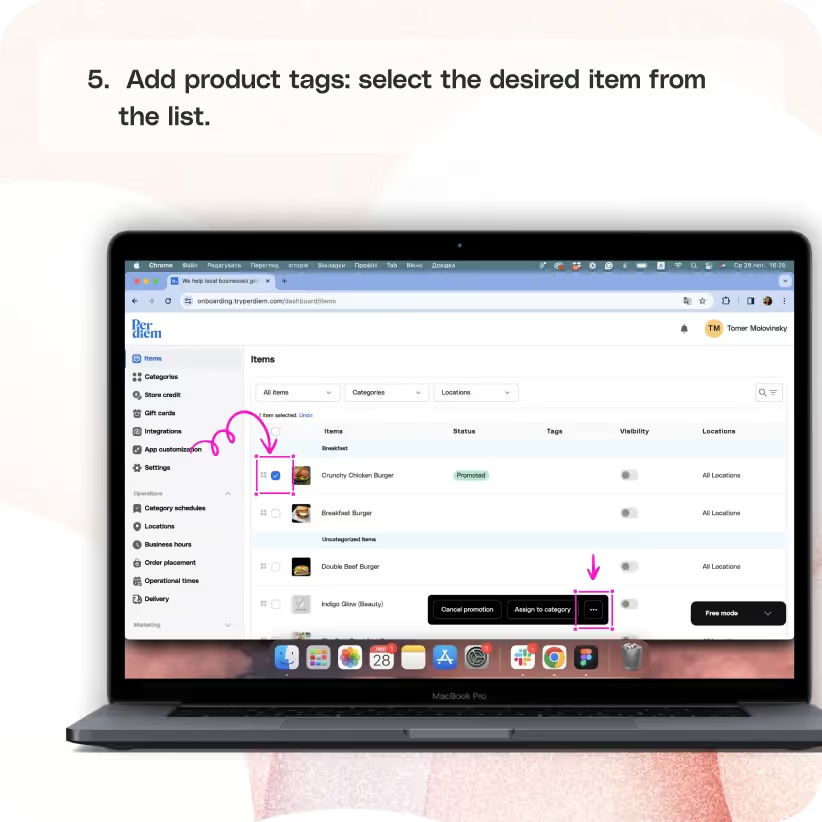
Add Product Tags
Give your items a tag for a better spotlight:
Step 1
Select the desired item from the list.
Step 2
Click on the three dots in the black banner that appears below.
Add Details
Spruce up your item with relevant tags:
Step 1
Select "Add Product Tags" and input tags, separating multiple tags with commas.
Step 2
Hit "Save" to apply and save the tags.


.svg)


Still have questions?Contact us
Ask anything or just say hi


